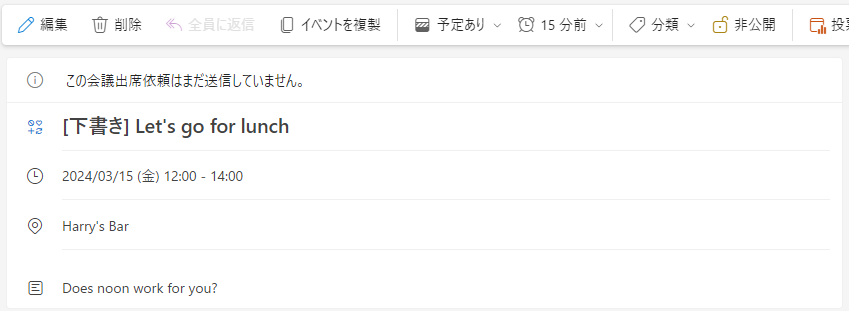
You can use Microsoft Graph to create a meeting as a draft. The request is similar to a regular create event request, with isDraft set to true. For example:
| Property | Value | Purpose |
|---|---|---|
isDraft |
true |
Save the meeting as a draft |
subject |
Meeting subject | Display the subject in the calendar |
1 | POST https://graph.microsoft.com/v1.0/me/events |
This creates the meeting as a draft in the calendar. It does not create a draft meeting request in the Drafts folder.
To send the draft meeting, change its isDraft property to false with a PATCH request. For example:
1 | PATCH https://graph.microsoft.com/v1.0/me/events/AAMkAGQ4MzIxNjhmLWYwMDAtNGI5Ni04MDNmLWM2MGRhYTUwYTc1YgBGAAAAAADq6mx0Pru-RrZDSJCvqSogBwCl3zuFppFfS45yc92LhnXOAAAAAAENAACl3zuFppFfS45yc92LhnXOAAeZQUnsAAA= |