Microsoft Graph normally returns only the item properties it provides. For example, the properties of a message are listed in message resource type.
You can also get information that is not in this list as extended properties. The way to retrieve a property differs slightly depending on its property set. This article shows how to get a message class and CleanGlobalObjectId as examples.
Message class
To get an item’s message class, such as IPM.Note, send a request like this:
1 | GET https://graph.microsoft.com/v1.0/me/messages?$expand=singleValueExtendedProperties($filter=id eq 'String 0x001A')&$select=subject |
This request uses the {type} {proptag} format to specify the extended property ID. The MAPI property for the message class is PidTagMessageClass, which is the string property 0x001A in the Common property set (area). In MFCMAPI, the property looks like this:
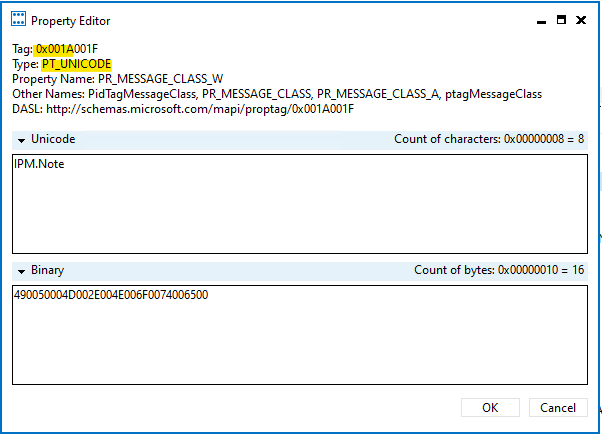
PidTagMessageClass Canonical Property
CleanGlobalObjectId
To get the CleanGlobalObjectId (Clean Global Object ID) of a calendar item, send a request like this:
1 | GET https://graph.microsoft.com/v1.0/me/calendar/events?$expand=singleValueExtendedProperties($filter=id eq 'Binary {6ED8DA90-450B-101B-98DA-00AA003F1305} Id 0x0023')&$select=subject |
This request uses the {type} {guid} Id {id} format to specify the extended property ID. The MAPI property for CleanGlobalObjectId is PidLidCleanGlobalObjectId, which is the binary property 0x0023 in the PSETID_Meeting property set. In MFCMAPI, the property looks like this:
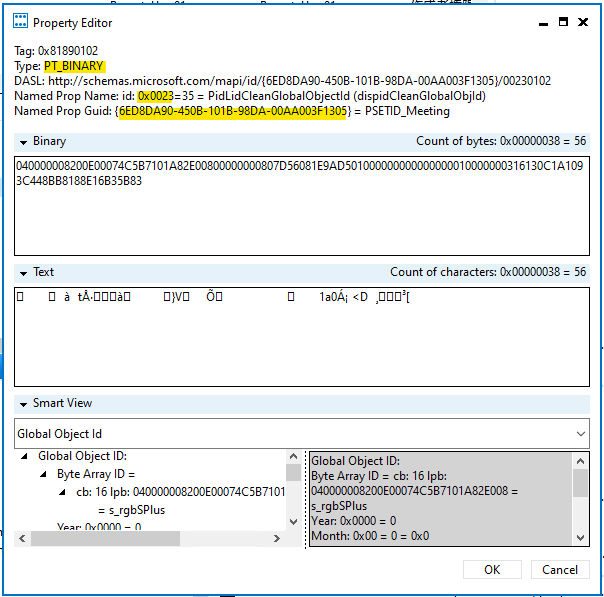
PidLidCleanGlobalObjectId Canonical Property
The value returned is Base64-encoded binary data. You can convert it to a hexadecimal string like iCalUId as follows. Microsoft Graph’s iCalUId is the GlobalObjectId rather than the clean version.
1 | $original="BAAAAIIA4AB0xbcQGoLgCAAAAACAfVYIHprVAQAAAAAAAAAAEAAAADFhMMGhCTxEi7gYjhazW4M=" |