When you change InPlaceHoldEnabled with the Set-MailboxSearch cmdlet, Exchange Server displays the following message:
The hold setting may take up to 60 minutes to take effect.
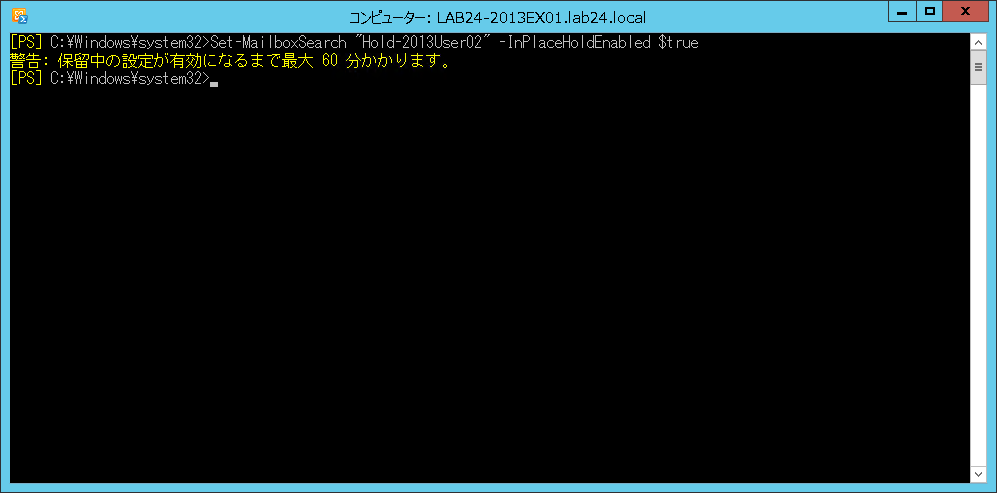
The Japanese message says that it may take up to 60 minutes for the pending setting to take effect. The translation is slightly unusual, but the setting does appear to take up to 60 minutes to apply. What does this 60-minute period mean?
The answer is the maximum time until the internal Exchange Server cache expires. In-Place Hold settings are cached, and the cache can be retained for up to 60 minutes. This means that the old cache may be used after you change the setting, until the new setting takes effect.
Unfortunately, an administrator cannot clear the cache or shorten its lifetime. As the warning says, you have to wait, accepting that the setting may not have taken effect for up to 60 minutes. I do not expect this to cause many situations where you cannot wait.
For Litigation Hold, you change LitigationHoldEnabled with the Set-Mailbox cmdlet, but Exchange Server displays the same warning. Litigation Hold uses the same caching mechanism as In-Place Hold, which is why the warning appears.