Note
This article describes a Microsoft Graph beta feature. The mention resource is now documented on Microsoft Learn, but the /beta API can still change and is not supported for production use.
Microsoft Graph beta supports @mentions. You can use them to send an email that looks like an @mention sent from Outlook or Outlook on the web.
To send an email with an @mention, use sendMail with a request like this:
1 | POST https://graph.microsoft.com/beta/me/sendMail |
Here is an example request:
1 | POST https://graph.microsoft.com/beta/me/sendMail |
The received email looks like this:
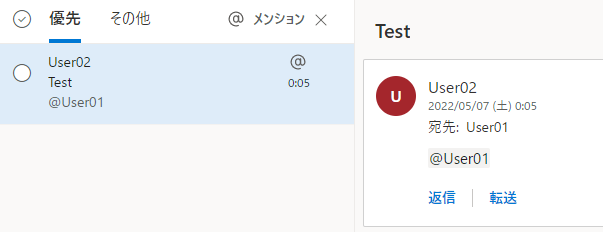
Even without specifying a body, Outlook on the web and similar clients recognize a message as mentioning someone when mentions is specified. However, the message body does not contain an @mention when you specify only mentions.
Conversely, if the body contains an <a> tag whose id starts with OWAAM and whose href starts with mailto:, Outlook on the web and similar clients display it with a mention-like appearance. However, the <a> tag alone does not make the message internally recognized as a message with a mention.
In short, specify both mentions and the <a> tag to make a message look like an @mention sent from Outlook on the web and to have it recognized as a mention.
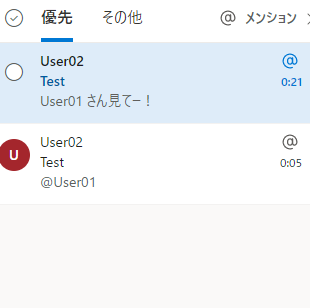
The text in the <a> tag does not have to be a username prefixed with @. For example, it can say @User01 さん見てー! (roughly, “@User01, take a look!”), as shown below.