Note
This article is preserved as a technical record of an investigation from June 2017. The Microsoft Exchange Online PowerShell module discussed here is the older module that preceded the currently available ExchangeOnlineManagement module, and it is no longer available. The internal behavior described in this article does not apply to the current connection method. For instructions on connecting with the current ExchangeOnlineManagement module, see Microsoft’s Connect to Exchange Online PowerShell.
As described in TechNet, PowerShell connections to Exchange Online can use multifactor authentication (MFA).
I thought OAuth could not be used because of the limitations of Remote PowerShell. However, the behavior looks as if it uses OAuth. In this article, I investigate how it works internally.
When you download the module from the Exchange admin center by following the TechNet instructions, an application named Microsoft Exchange Online PowerShell is installed.
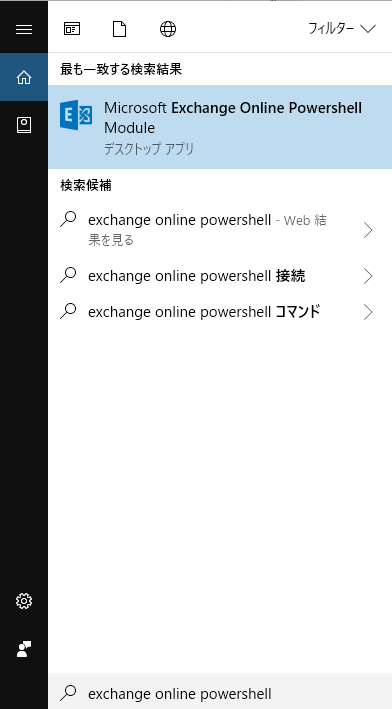
When you start the application, PowerShell opens and displays the following screen.
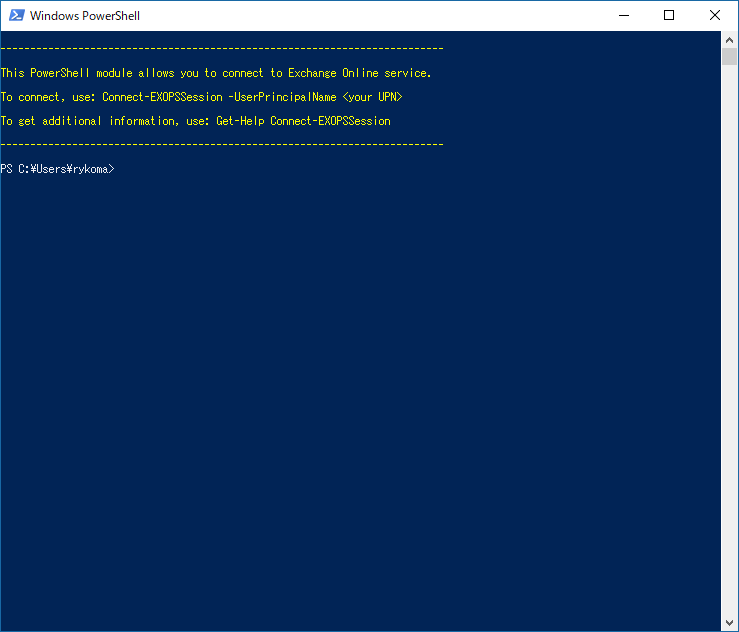
As described, the Connect-EXOPSSession command, which is not normally available, can be used. I use Get-Command to inspect the Connect-EXOPSSession command.
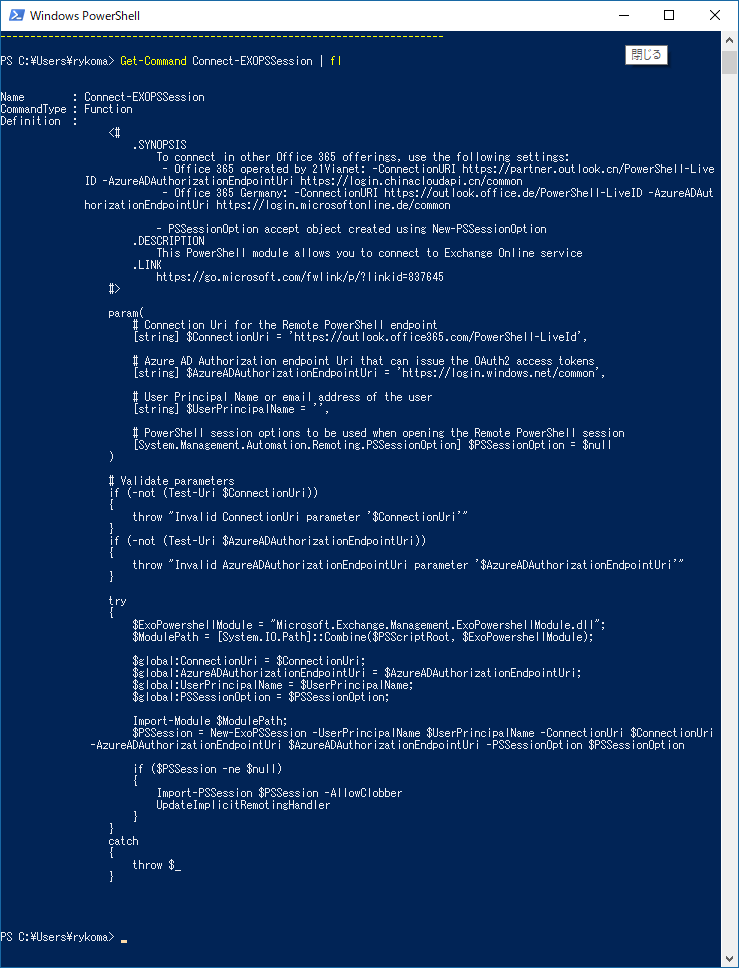
It appears to be defined only as a Function; the module has not been loaded yet. Instead, when you run Connect-EXOPSSession, it loads a module named Microsoft.Exchange.Management.ExoPowershellModule.dll, then uses the New-ExoPSSession command defined in that module to create and import a PSSession.
As with the traditional PowerShell connection, it appears to use a Remote PowerShell connection.
When I run Connect-EXOPSSession to connect, the familiar sign-in screen described in TechNet appears, and the session connects to Exchange Online. Running Get-Module after connecting shows that the module has been loaded.
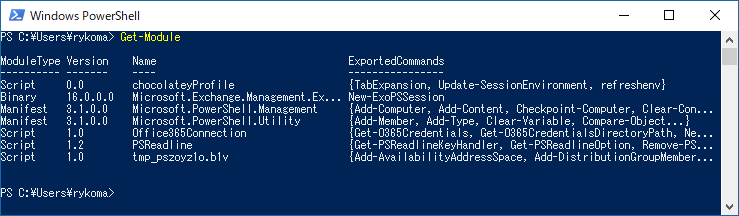
The module path can also be checked.
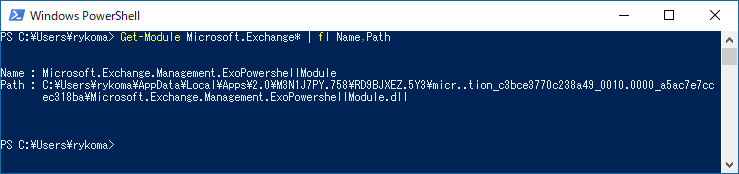
Let’s look inside this path.
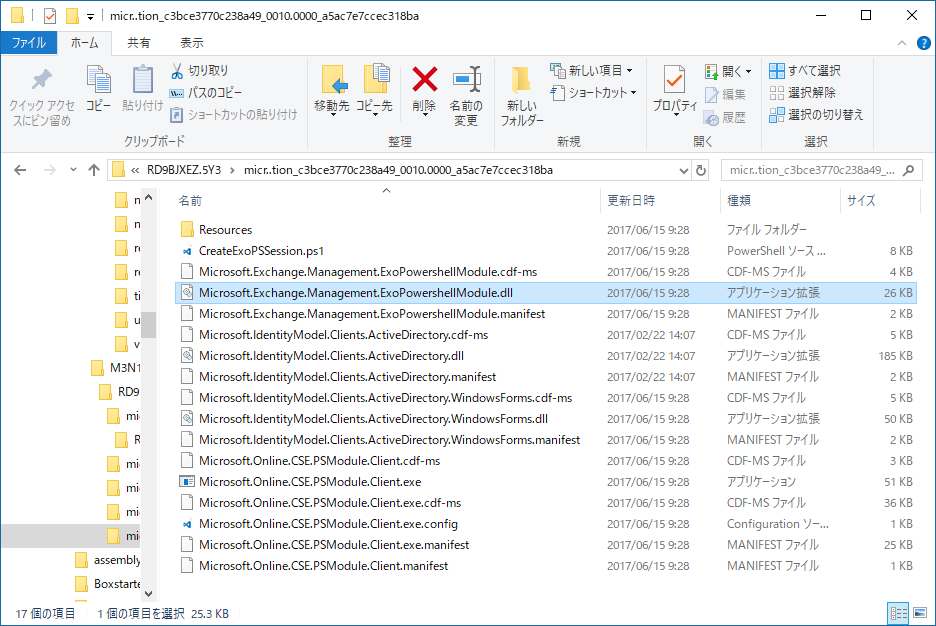
There are several files besides Microsoft.Exchange.Management.ExoPowershellModule.dll. The contents of CreateExoPSSession.ps1 show that this script is the implementation behind the Connect-EXOPSSession command.
Opening the executable Microsoft.Online.CSE.PSModule.Client.exe in ILSpy shows that it starts PowerShell.exe and runs CreateExoPSSession.ps1. The Microsoft Exchange Online PowerShell application appears to be implemented by Microsoft.Online.CSE.PSModule.Client.exe.
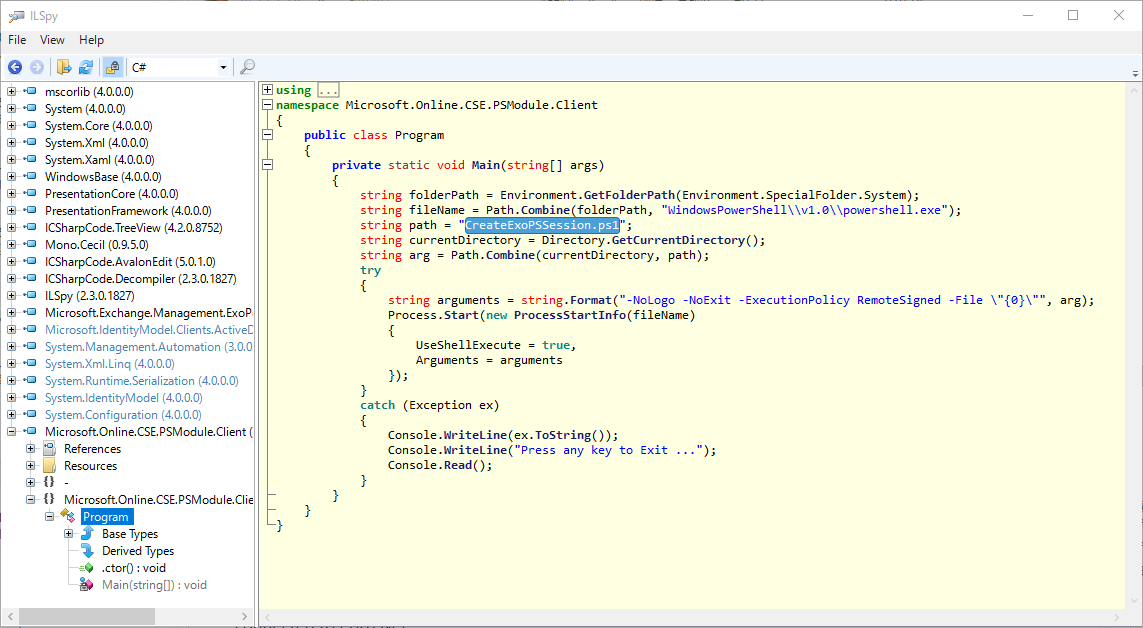
Microsoft.IdentityModel.Clients.ActiveDirectory.dll and Microsoft.IdentityModel.Clients.ActiveDirectory.WindowsForms.dll are ADAL DLLs, so it appears to use OAuth. To inspect New-ExoPSSession, I open Microsoft.Exchange.Management.ExoPowershellModule.dll in ILSpy.
If you have developed a PowerShell module, you know that ProcessRecord() contains the actual processing logic.
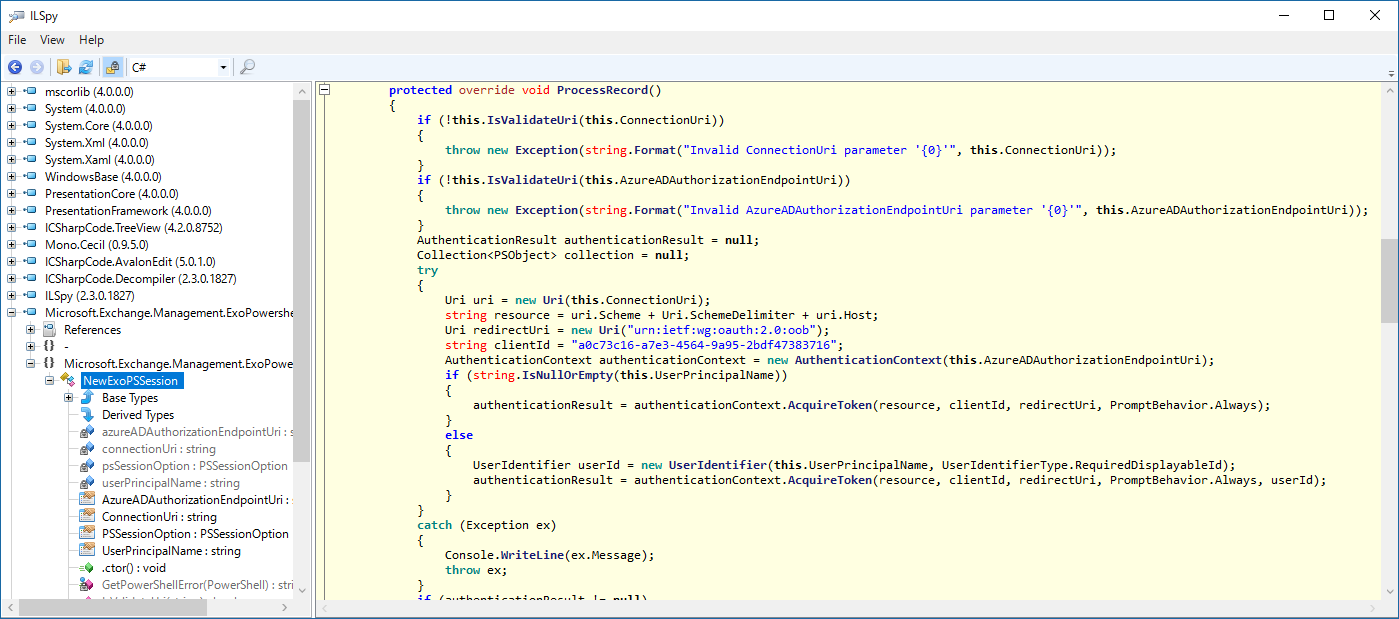
At this point, ADAL is used to obtain an access token. This confirms that OAuth is being used.
After obtaining the access token, the code performs the following processing, which is a little unusual.
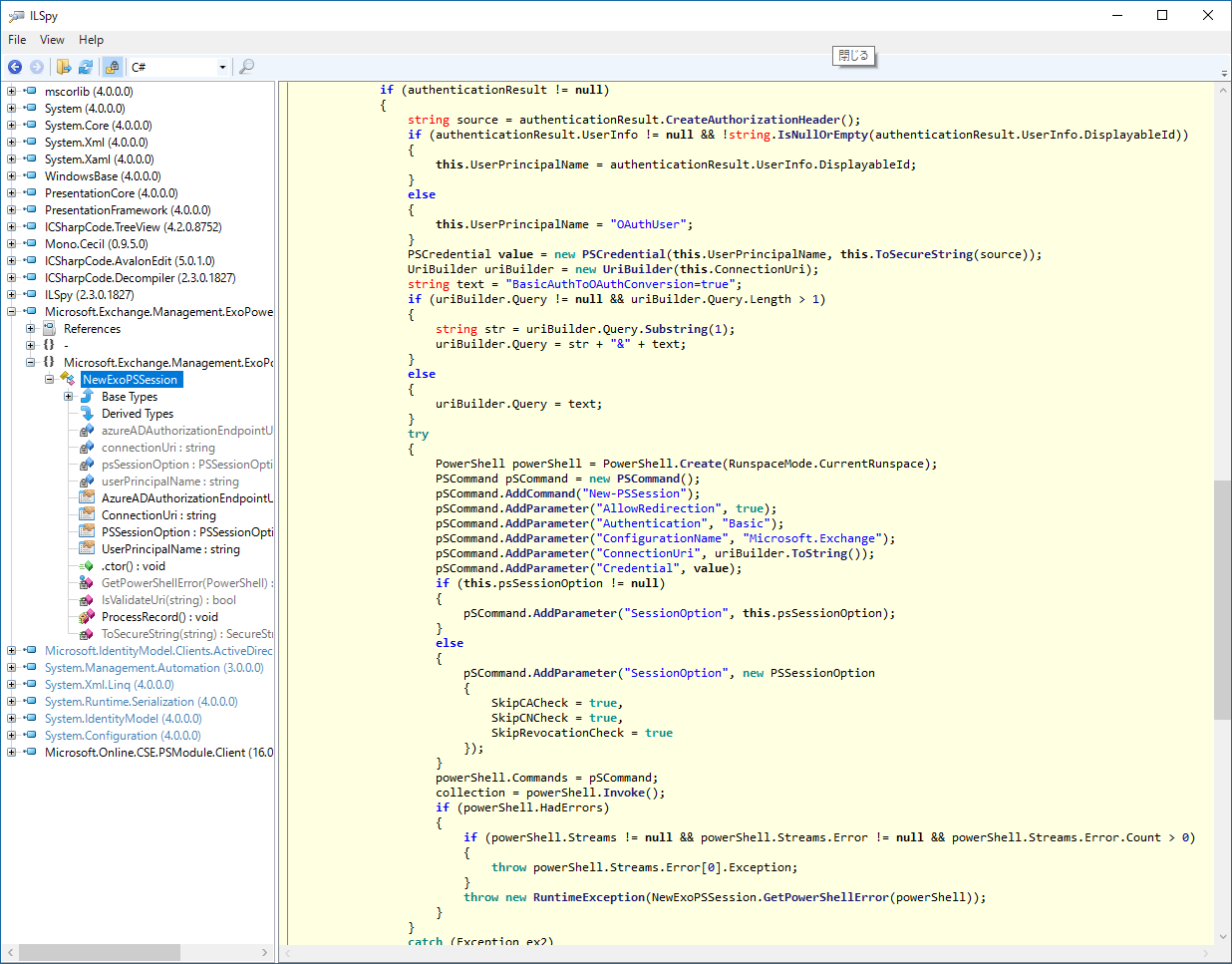
The access token, which would normally be specified in the Authorization header, is used as the password in PSCredential. The code also adds a BasicAuthToOAuthConversion query parameter, which is not used for a normal connection to Exchange Online.
It appears that the server was extended to support authentication with these parameters.
Perhaps this could be called “OAuth over Basic Auth.” It seems rather forceful, but this was probably the best available option at the time.